
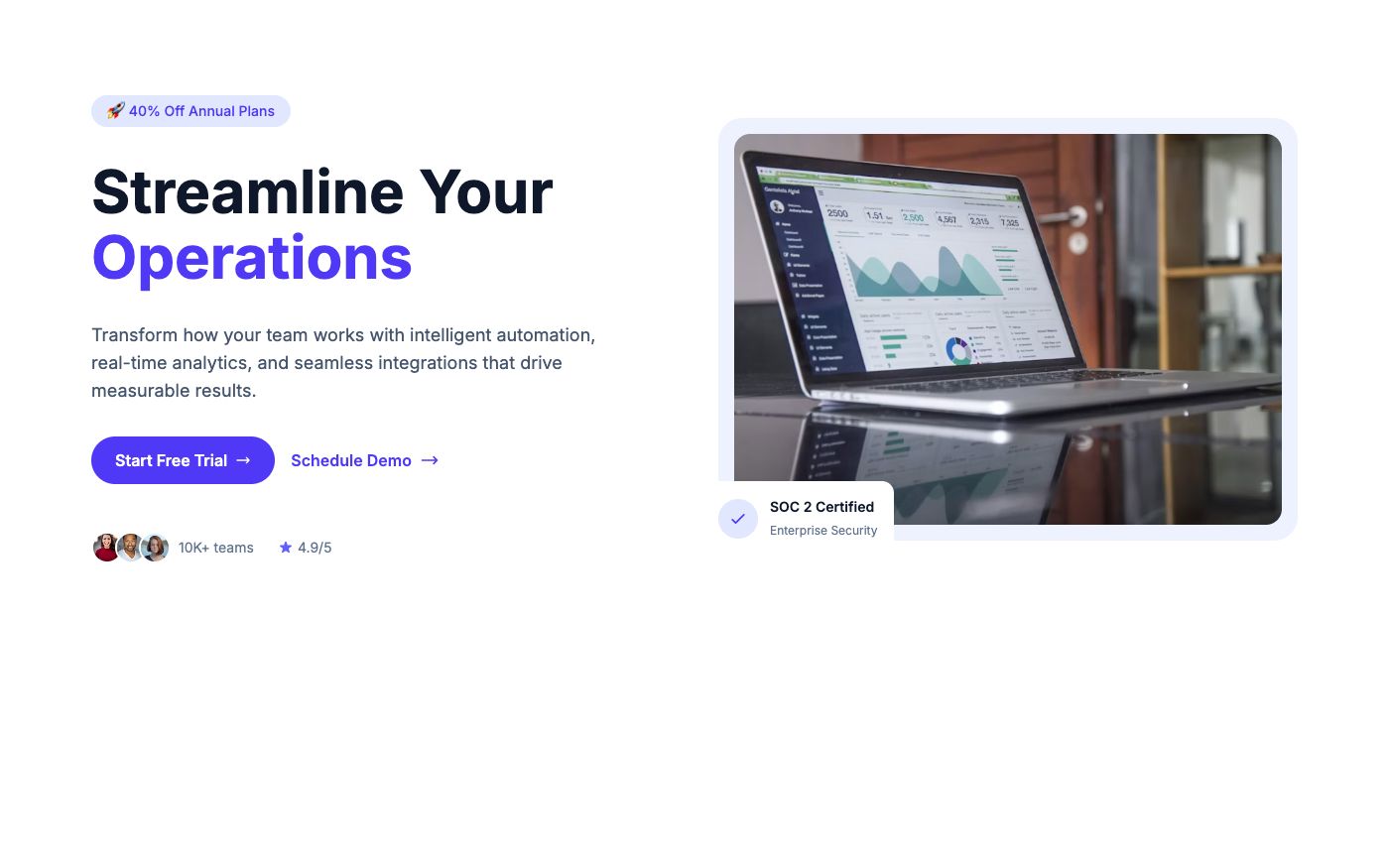
Quick answer: choose a SaaS template to explain a workflow, a restaurant template to make menus and booking easy, a portfolio to foreground projects, and a property layout to encourage enquiries. These ten examples are HTML starting points with access labels—not hosted applications with a backend.
Compare the ten layouts before opening the editor
| Template | Use it for | Access | Connect separately |
|---|---|---|---|
| SaaS Analytics Landing Page | Analytics tools that need to explain an unfamiliar product before asking visitors to start a trial. | Free account | Signup, trial, or demo booking |
| SaaS Workflow Landing Page | Workflow and automation products with several related capabilities to explain. | Free account | Signup, trial, or demo booking |
| Productivity Software Landing Page | Productivity products whose benefit is easier to explain through a concrete team scenario. | Free account | Signup, trial, or demo booking |
| Fine Dining Restaurant Template | Restaurants that want the atmosphere of the venue to lead the first impression. | Free account | Ordering or reservations |
| Casual Restaurant Template | Neighborhood restaurants and cafés that want a welcoming, personal introduction. | Free account | Ordering or reservations |
| Restaurant Delivery Template | Restaurants promoting takeaway or delivery as their main website action. | Free account | Ordering or reservations |
| Creative Portfolio Template | Designers and creative teams with a small set of strong visual projects. | Free account | Enquiry form and live content |
| Minimal Design Portfolio Template | Freelance designers who want visitors to understand their specialty and enquire about a project. | Free account | Enquiry form and live content |
| Real Estate Agency Template | Property agencies introducing their service and inviting prospective buyers to make contact. | Free account | Enquiry form and live content |
| Commercial Property Template | Commercial property teams presenting an office building or workspace. | Free account | Enquiry form and live content |
The right Tailwind CSS landing page template depends on what visitors need to do: understand a product, explore your work, book a table, or make an enquiry. Start with that action, then choose the layout. A page that looks impressive but hides the next step creates more work for both you and your visitors.
This guide compares ten actual OpenTailwind examples. Each includes a screenshot, an explanation of when to use it, and the first thing to customize. You can open the individual design pages for more detailed notes, then try the colors and fonts in the editor.
Access: OpenTailwind has Free and Pro memberships. A Free account includes 100 selected blocks and 95 selected templates. The examples below show their current access label; copying and downloading requires sign-in. The complete library requires Pro. Compare memberships and review the license before using a design.
1. SaaS Analytics Landing Page
A Tailwind CSS template with a centered analytics pitch, a wide hero image, a metrics row, and a feature accordion.
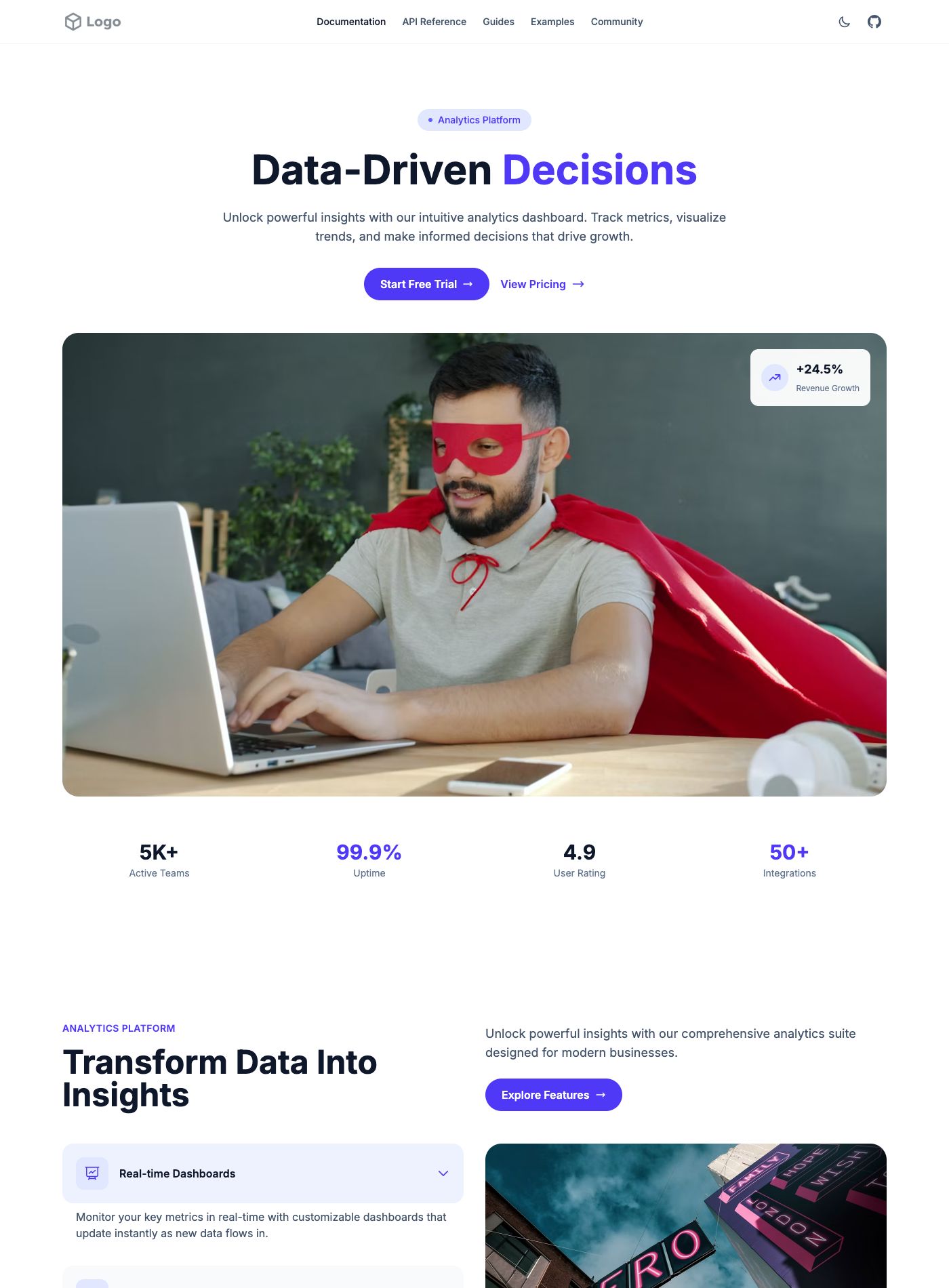
Choose it for: Analytics tools that need to explain an unfamiliar product before asking visitors to start a trial.
Change first: Replace the hero photograph with a real dashboard screenshot and explain the task it helps users complete.
2. SaaS Workflow Landing Page
A Tailwind CSS page for explaining workflow software, with an operations-focused hero, automation features, and team testimonials.
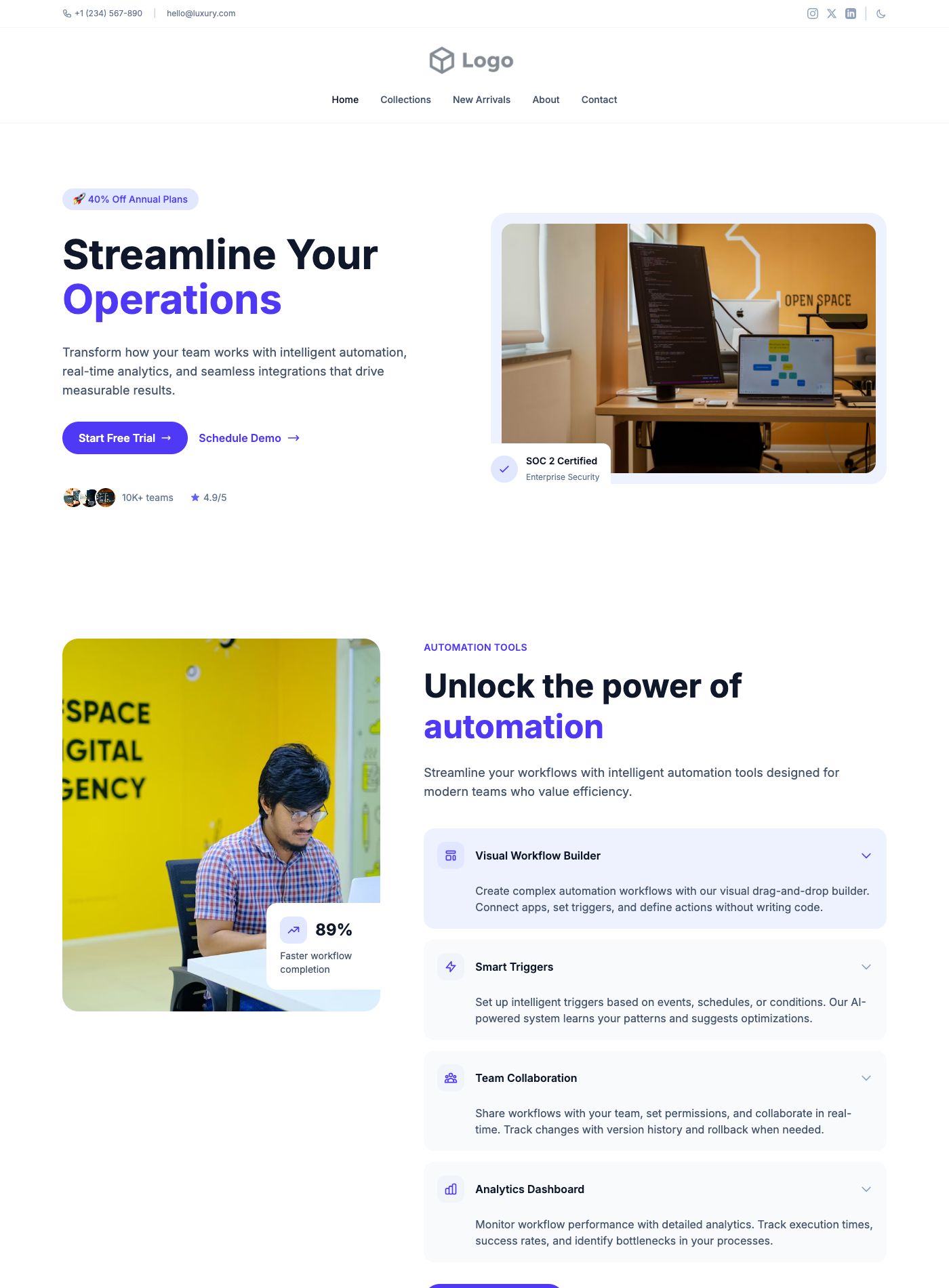
Choose it for: Workflow and automation products with several related capabilities to explain.
Change first: Name the workflow your product replaces instead of listing every feature.
3. Productivity Software Landing Page
A Tailwind CSS productivity template combining a product introduction, analytics messaging, customer proof, and a closing call to action.
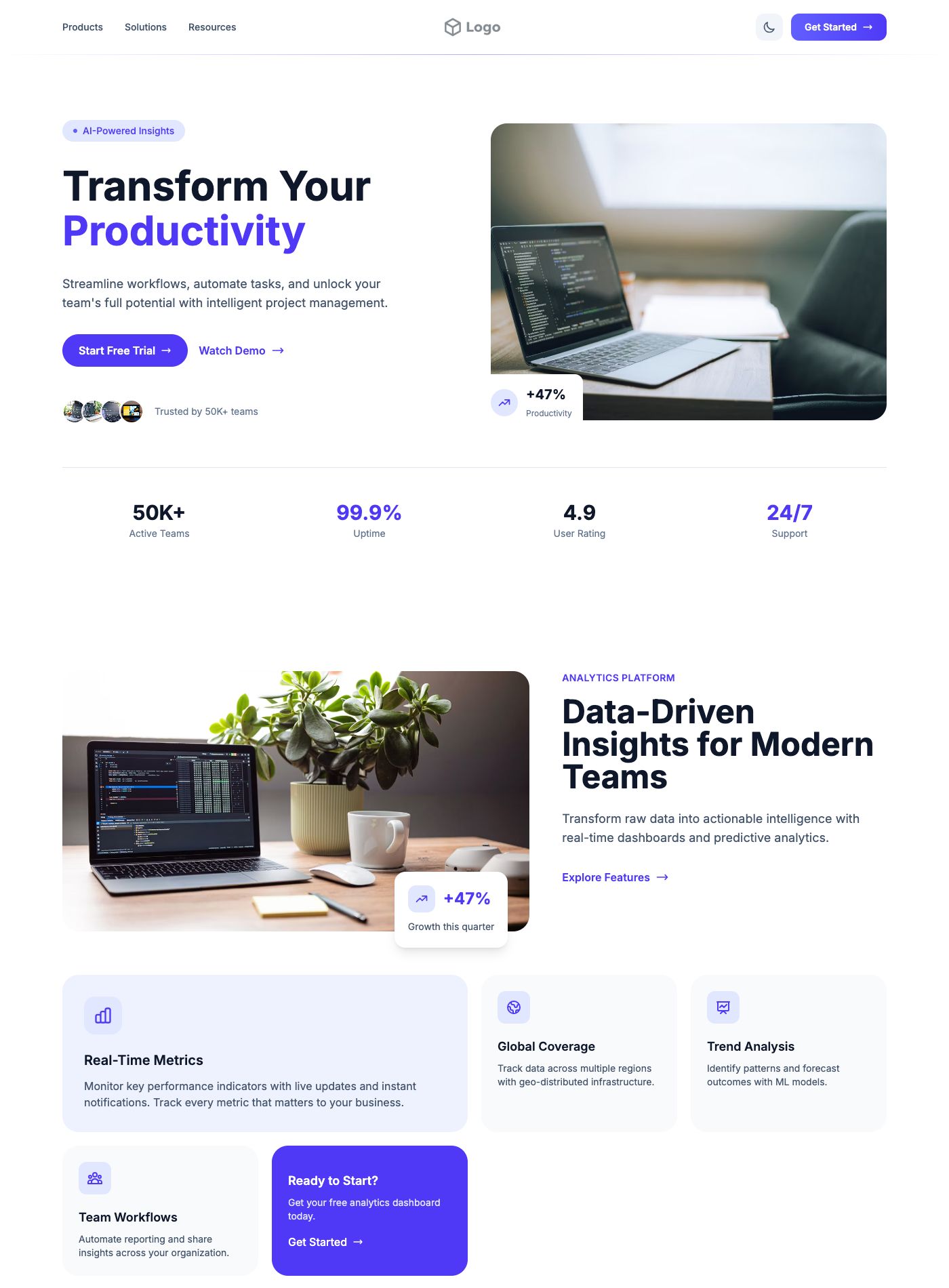
Choose it for: Productivity products whose benefit is easier to explain through a concrete team scenario.
Change first: Choose a consistent light or dark appearance and check all text contrast.
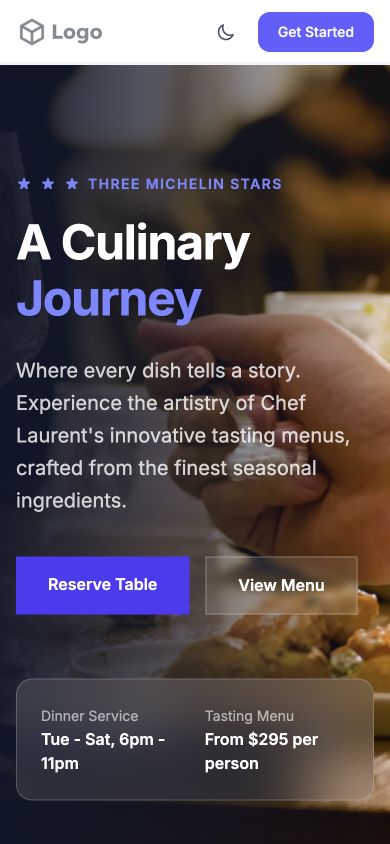
4. Fine Dining Restaurant Template
A Tailwind CSS restaurant layout with a photographic hero, menu and reservation actions, and space for dinner-service details.
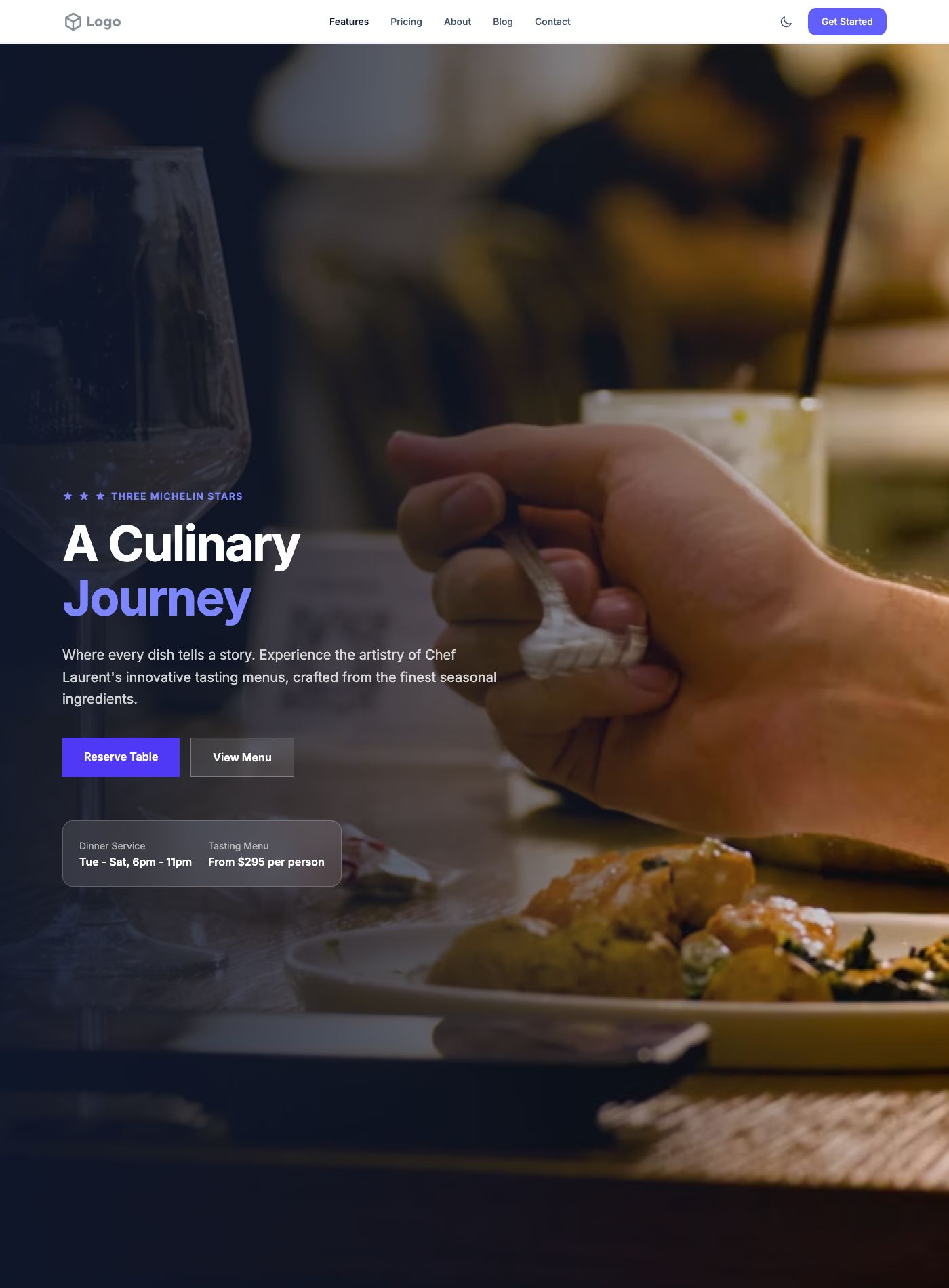
Choose it for: Restaurants that want the atmosphere of the venue to lead the first impression.
Change first: Use your own food photography and replace the example awards, prices, and service hours.
5. Casual Restaurant Template
A Tailwind CSS hospitality page built around a craft-focused introduction, customer stories, and a final call to action.
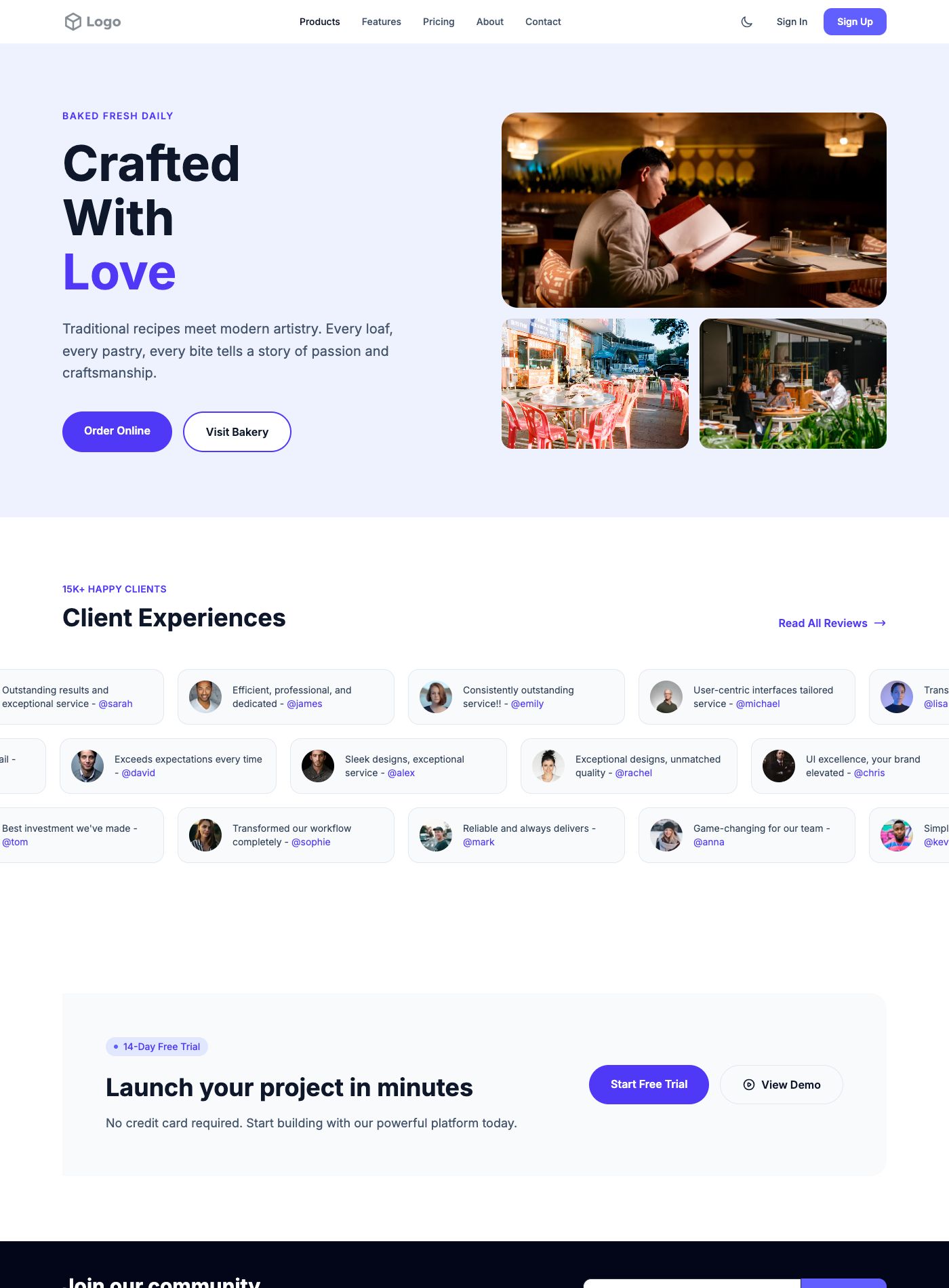
Choose it for: Neighborhood restaurants and cafés that want a welcoming, personal introduction.
Change first: Lead with a signature dish and the story behind it.
6. Restaurant Delivery Template
A Tailwind CSS food-service template with a delivery-focused opening, customer reviews, and reusable supporting sections.
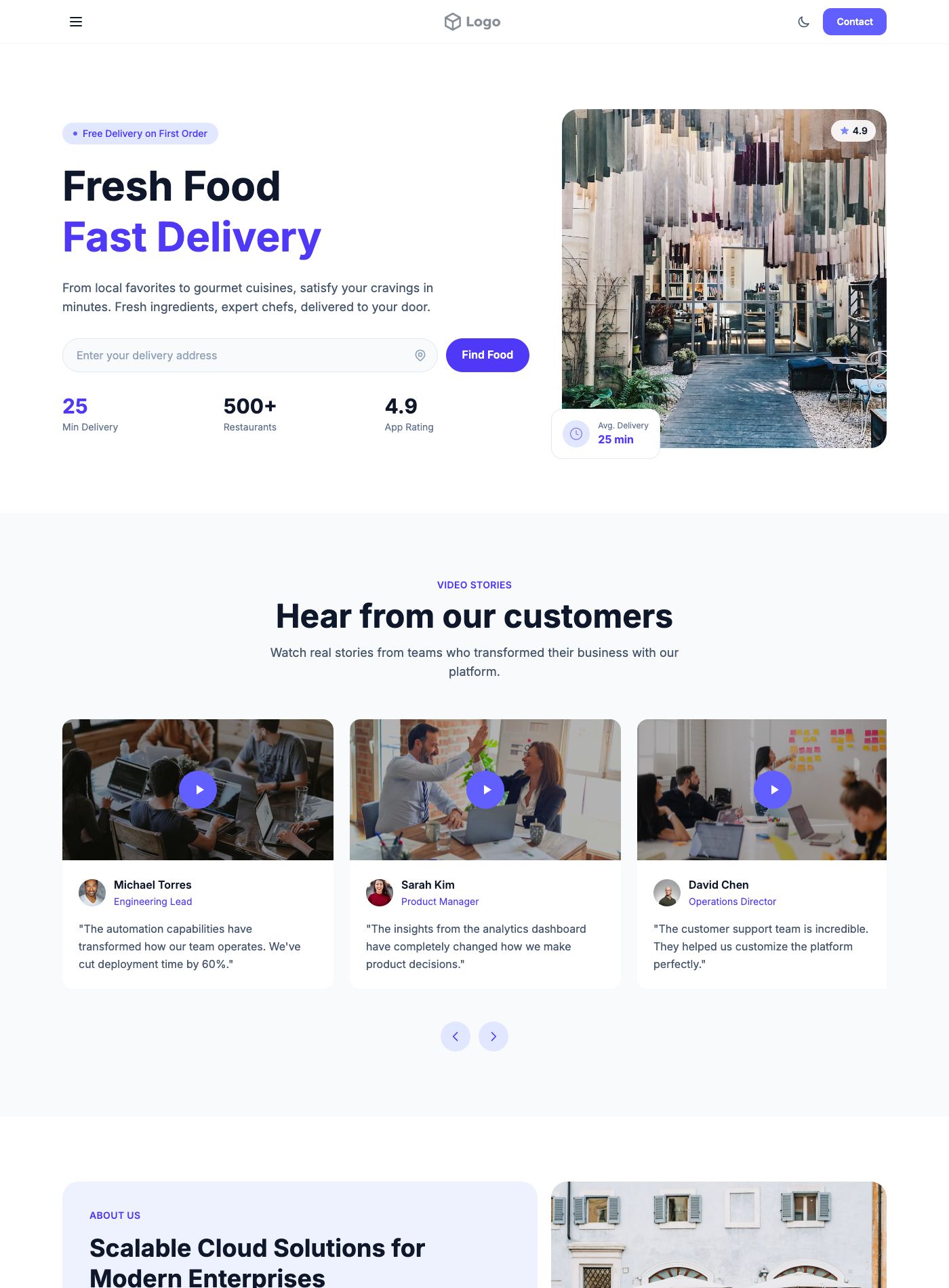
Choose it for: Restaurants promoting takeaway or delivery as their main website action.
Change first: Explain your delivery area and ordering hours near the main action.
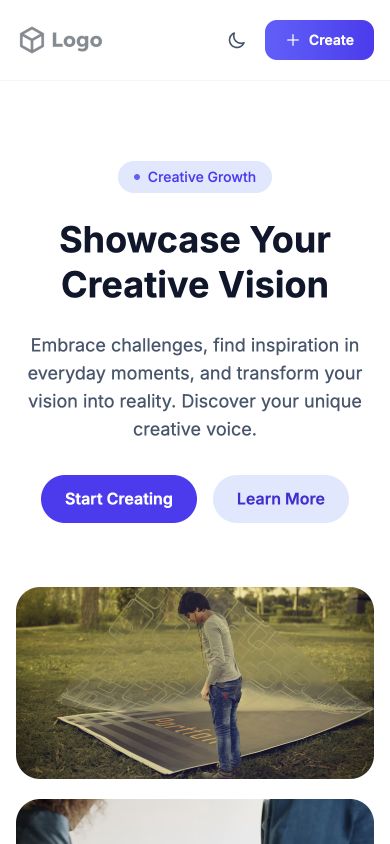
7. Creative Portfolio Template
A Tailwind CSS portfolio with a centered introduction and an image collage that highlights a creative process or featured project.
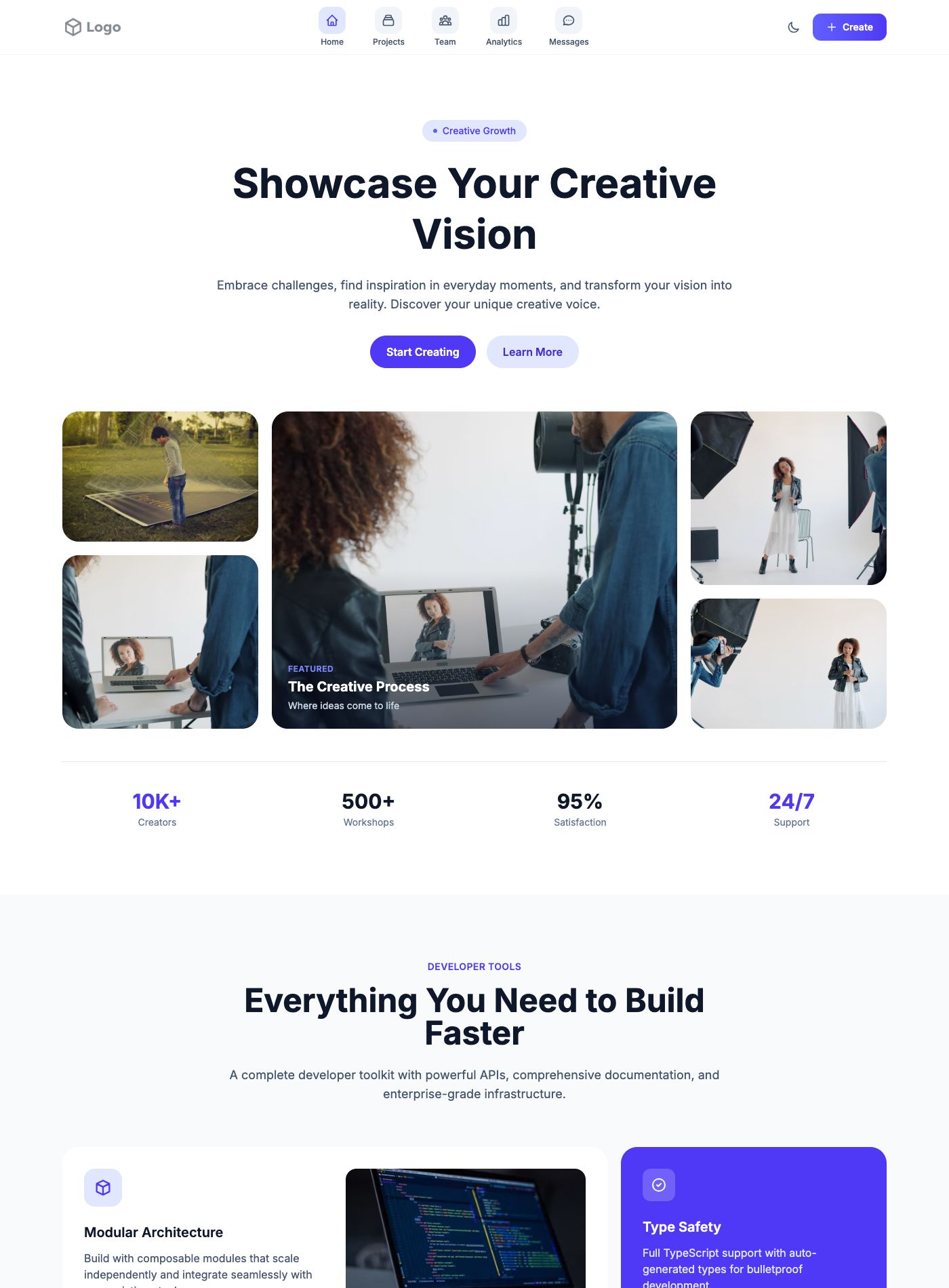
Choose it for: Designers and creative teams with a small set of strong visual projects.
Change first: Replace every collage image with work you have permission to publish.
8. Minimal Design Portfolio Template
A Tailwind CSS portfolio layout with a design-focused introduction, testimonial content, and a closing brand-enquiry section.
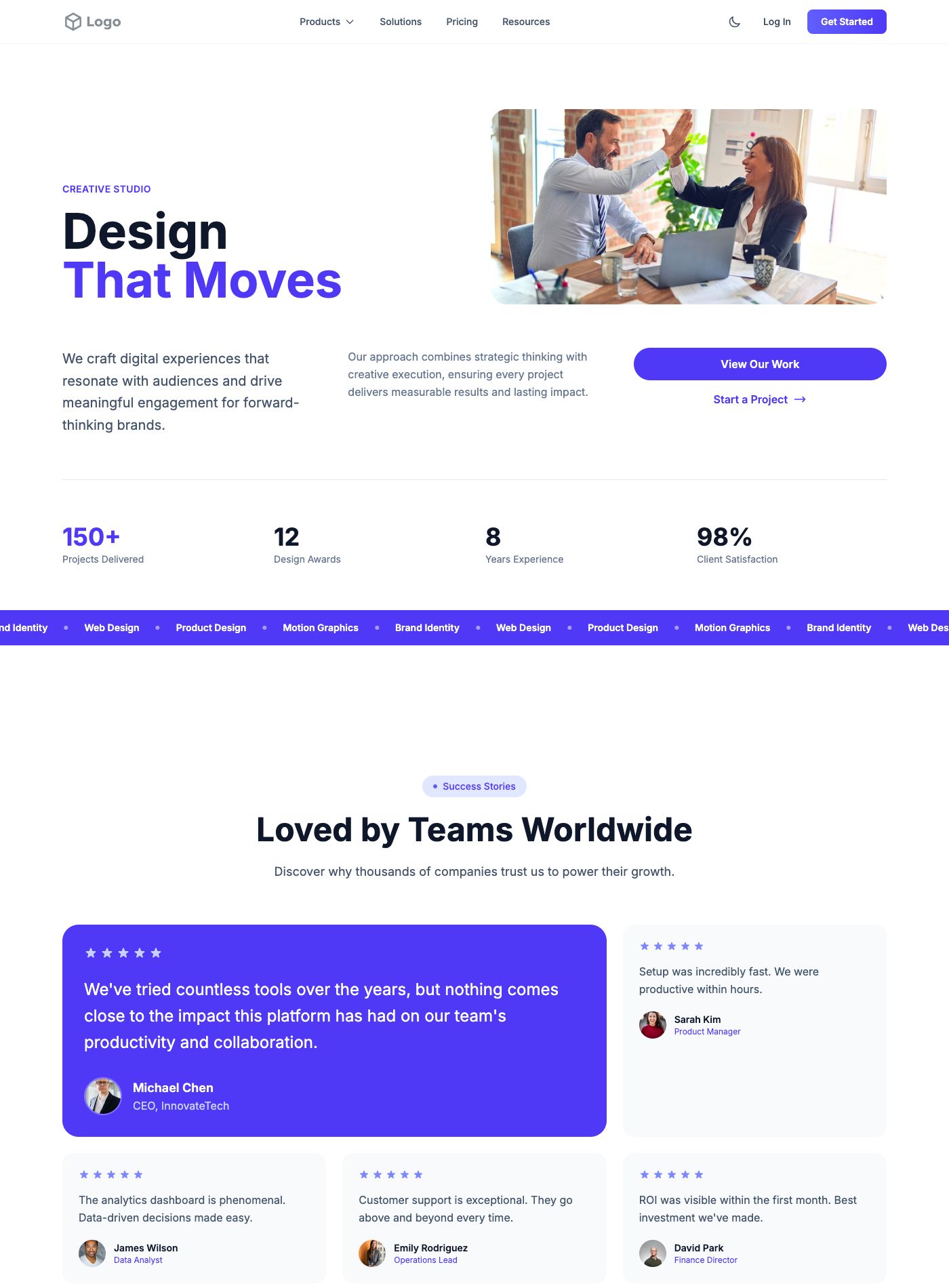
Choose it for: Freelance designers who want visitors to understand their specialty and enquire about a project.
Change first: State the type of design work you want to be hired for.
9. Real Estate Agency Template
A Tailwind CSS property template opening with a home-finding message, followed by adaptable feature, partner, and enquiry sections.
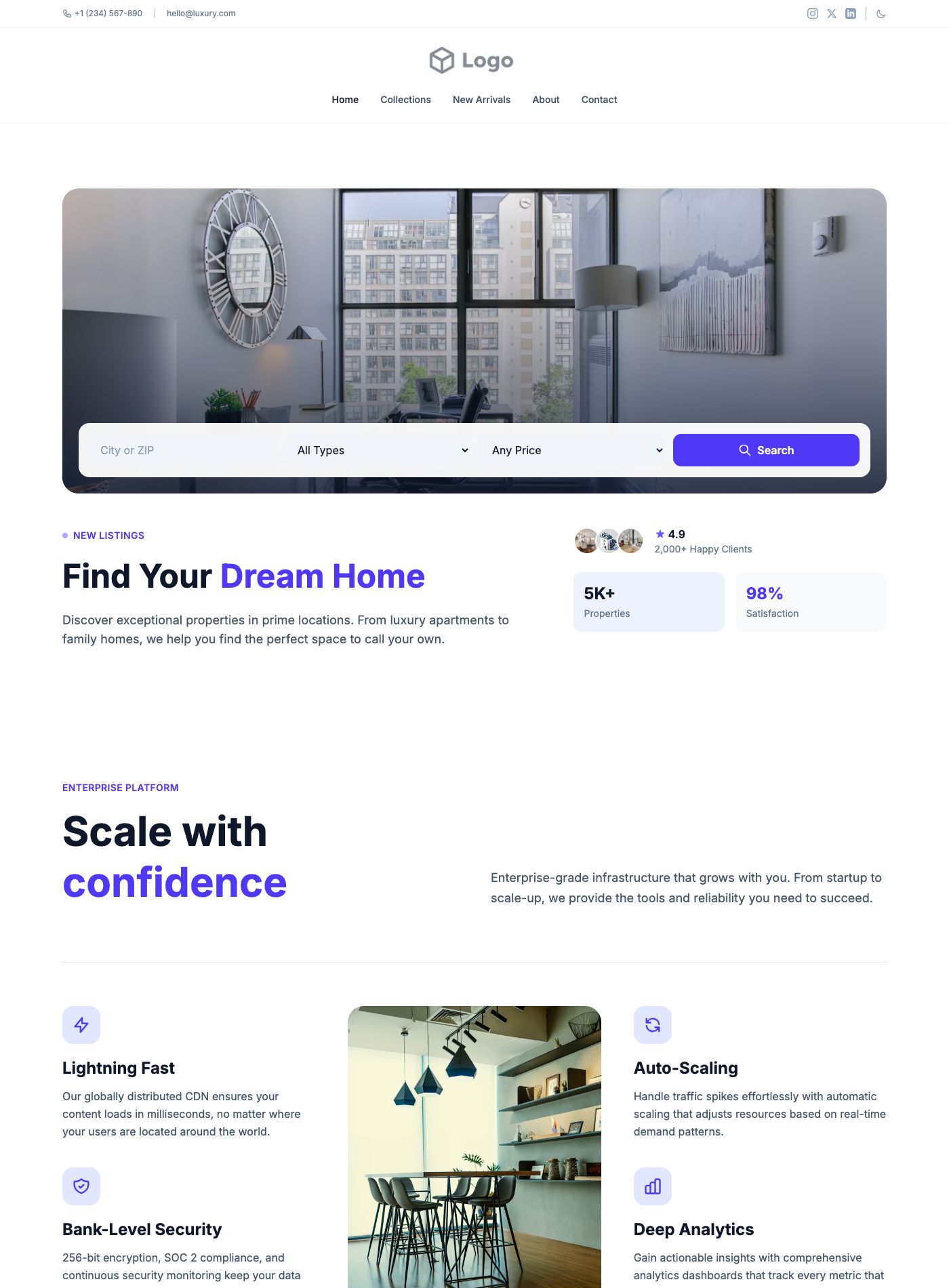
Choose it for: Property agencies introducing their service and inviting prospective buyers to make contact.
Change first: Add the specific areas and property types you serve.
10. Commercial Property Template
A Tailwind CSS property layout with an office-space hero, supporting features, and visual testimonials that can become location details.
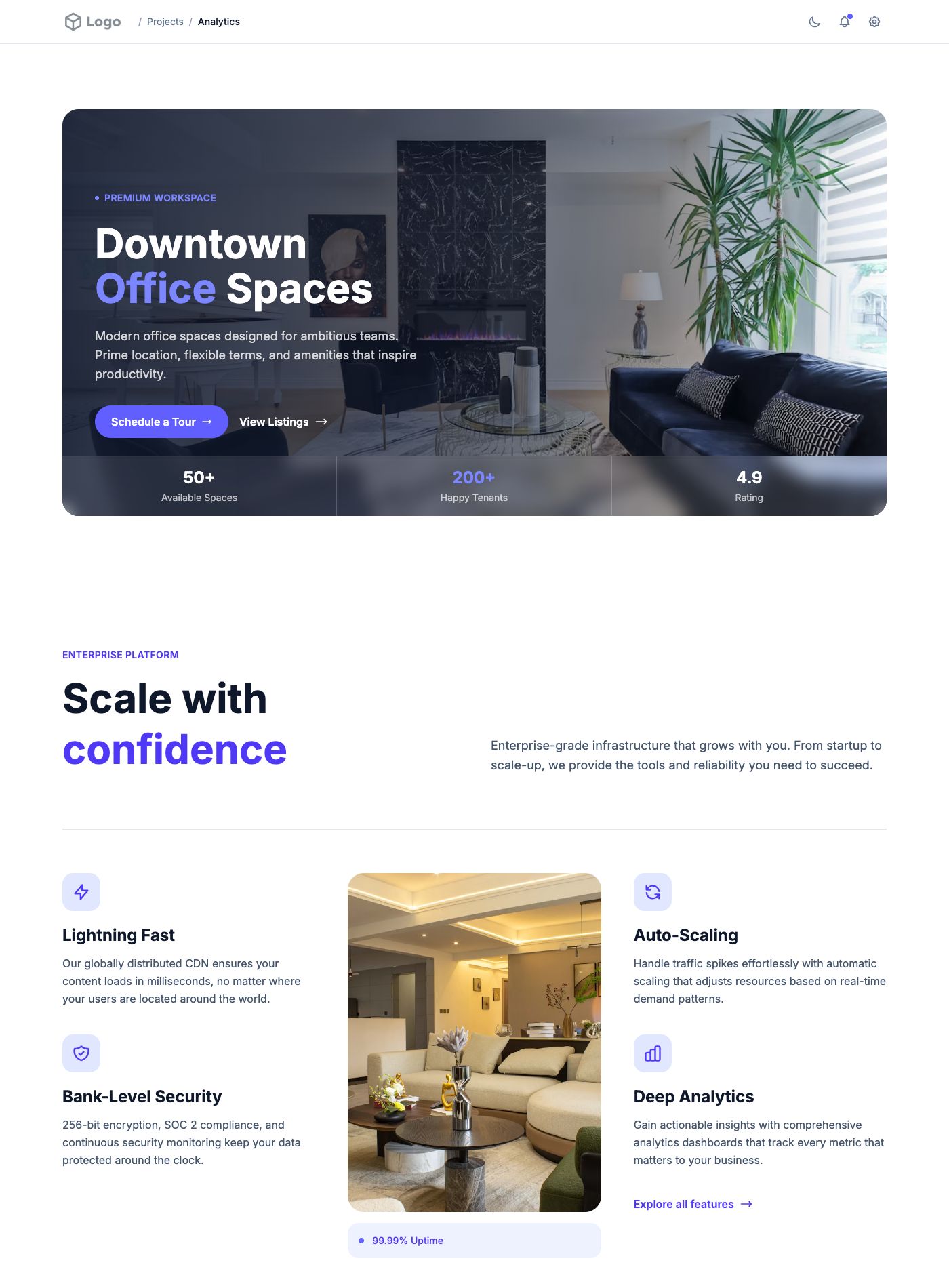
Choose it for: Commercial property teams presenting an office building or workspace.
Change first: Use current building photographs and factual location information.
How to turn a template into a working website
- Choose the main action. Decide whether this page should collect a lead, start a trial, show a menu, or lead to a booking. Give that action the clearest visual emphasis.
- Preview your content at mobile width. A longer business name, translated menu, or multi-line headline can change the layout. Test those real strings before settling on a design.
- Customize, then export. Open the editor, select your fonts and colors, and sign in to copy or download the HTML available with your membership.
- Integrate the markup. Add it to your Tailwind project, check the Tailwind version and any scripts the design uses, and adapt HTML attributes if your framework requires it.
- Connect real services. A reservation button is not a booking system, and an email field does not send messages by itself. Connect forms, checkout, search, and booking to your own services.
- Replace every example claim. Remove sample testimonials, awards, prices, business addresses, and statistics unless they are accurate for your business. Some lower sections contain cross-industry demonstration copy; rewrite those as well.
Common questions
Can I use these templates with React or Next.js?
The downloads are HTML layouts, not ready-made React components. You can adapt the markup, change attributes such as class to className, and rebuild script-driven interactions using your framework’s conventions.
Does a template include a backend?
No. It supplies the presentation. Authentication, databases, payments, contact submissions, and live listings need your own implementation.
Can I use a design for a client?
Personal and commercial websites are covered by the current license terms. Reselling the designs as a competing template collection is not included.
Need one section instead of a full page?
Explore the design-studio hero, three-tier pricing cards, or capsule navigation header. For a broader tooling comparison, read our Tailwind component-library guide.
Mobile previews at 390 pixels
These screenshots show the opening viewport of three current library examples at 390 × 844 pixels, captured October 14, 2026. Sample metrics, awards, dates, and testimonials are demonstration content, not verified claims about a business. The captures show layout behavior; they are not a full accessibility audit.
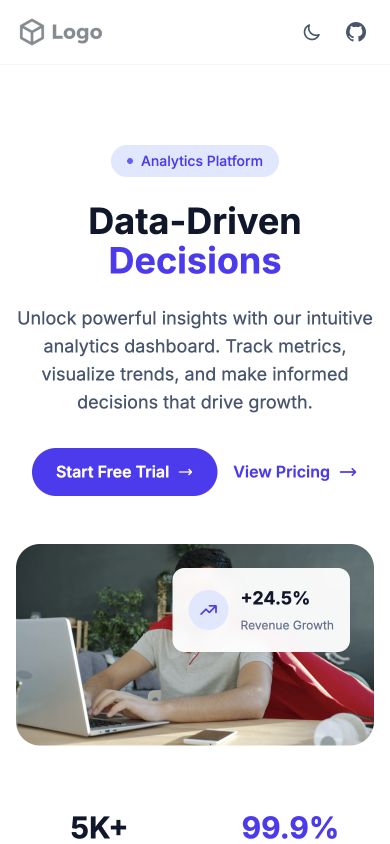
Check the mobile version with real content
Open each example’s editor and select the phone preview. Check the headline, navigation, image crop, and first action before deciding. A template that works with a short demonstration headline may need different line breaks for your business name. Test tap targets and form labels after replacing the content.
For specialist layouts, explore automotive, events, fitness, and ecommerce templates. Each category explains what still needs to be connected before launch.